How to Fix a Turntable That Hums or Buzzes
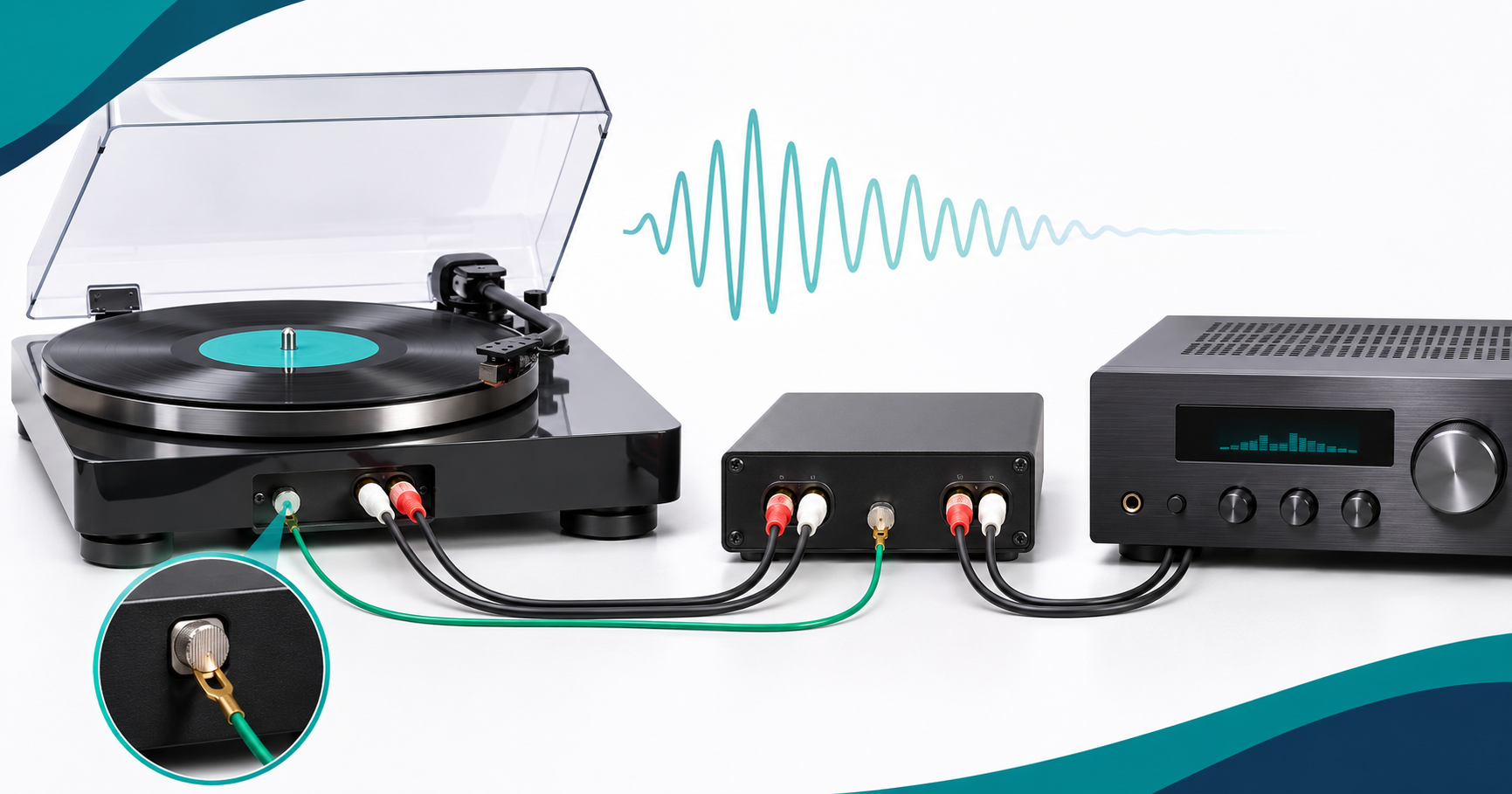
Trace a turntable hum or buzz to grounding, input settings, cables, or speaker vibration. Start with simple connection checks and follow your turntable and preamp manuals.
Follow these steps at your own pace. Check product terms and prices directly with providers before purchasing.
A low turntable hum often points to a grounding or phono-input mismatch; a buzz or rumble can also come from a loose cable, electrical interference, or speaker vibration. Turn the volume down, match the turntable’s PHONO/LINE setting to the receiver input, then check the ground and RCA connections with the equipment off. Change one thing at a time so you can find the cause.
What you need
- The turntable, preamp, and amplifier manuals
- Access to the back-panel RCA and ground terminals
- A second input or cable for a simple comparison test, if available
Know what kind of noise you hear
A steady low-frequency hum is often linked to grounding or phono wiring. A high buzz may come from a cable or nearby electrical equipment. A rumble that changes when the speakers play music may be acoustic feedback: vibration reaches the turntable and is picked up by the stylus. The fix depends on which noise changes during the checks below.
Step-by-step troubleshooting
- Lower the volume. Turn the amplifier down before changing inputs or cables. If the sound is loud, intermittent, accompanied by sparks, or smells hot, power the system off and disconnect it safely; do not continue testing.
- Check PHONO versus LINE. Find the turntable’s built-in preamp switch, if it has one. If the turntable is set to PHONO output, connect it to an amplifier’s PHONO input. If its preamp is set to LINE, use a line-level input such as AUX. Do not run a line-level output into a PHONO input unless the manual explicitly supports that configuration.
- Inspect the ground connection. If your turntable has a ground wire and ground terminal, follow the manual to connect it to the phono preamp or receiver. If you use an external preamp, check the maker’s recommended grounding path. Some powered speakers or amplifiers have no dedicated ground post, so do not attach a wire to an arbitrary screw unless the equipment maker says that point is suitable.
- Reseat the signal cables. Turn off the equipment before unplugging or reconnecting RCA cables. Firmly reseat the left and right plugs at both ends. Check for bent connectors, loose adapters, or a cable routed tightly beside a power supply. Try a known-good RCA cable if you have one.
- Separate vibration sources. Put the turntable on a level, stable surface. Move speakers off the same shelf if possible, and keep the deck away from a subwoofer or a source of strong vibration. Test at normal listening volume after repositioning.
- Isolate the source one change at a time. With volume low, try another input or compatible wall outlet. If the hum follows a different source connected to the same speakers, investigate the amplifier or speaker path. If it only appears with the turntable, focus on its preamp, ground, and cables. Turn power off before moving any audio connections.
Common mistakes
- Using both phono preamps: A built-in turntable preamp and a receiver PHONO input can amplify the signal twice and cause distortion or unusual noise.
- Grounding by trial and error to random metal: Only use terminals or chassis points the equipment instructions identify.
- Moving several cables at once: Change one connection or placement at a time so the result identifies the cause.
- Confusing feedback with electrical hum: If the noise rises with speaker volume or proximity, vibration may be traveling through the furniture.
When to get service
If the hum remains after the documented grounding and input checks, or the turntable has a loose headshell, damaged RCA socket, or internal fault, contact the manufacturer or an audio technician. Do not open a powered amplifier or probe its wiring.
Official troubleshooting references
- Fluance: Fixing a humming or buzzing turntable
- Sony: Troubleshooting hum or buzz through connected speakers
- Sony: Turntable PHONO and LINE input levels
Bottom line: Confirm the correct PHONO/LINE path, check documented ground and RCA connections with the system off, and move the turntable away from speaker vibration. If the noise suggests an electrical fault, stop and use qualified service.
If you hear a skip instead of a hum, see how to troubleshoot a record that keeps skipping. If you are adjusting the deck after a move, review tracking force and anti-skate setup.
Comments
Comments are reviewed before they become public.
Sign in with Google to leave a comment.
Sign in with GoogleNo approved comments yet. Be the first to start the discussion.